Choosing between InstaDoodle and Doodly can be difficult if you want to create professional whiteboard animation videos without becoming a video-editing expert.
Both tools are designed to simplify doodle video creation, but they take different approaches.
InstaDoodle focuses heavily on AI-assisted doodle creation, while Doodly focuses on traditional drag-and-drop whiteboard animation.
So, which one is better in 2026?
The answer depends on the type of videos you want to create.
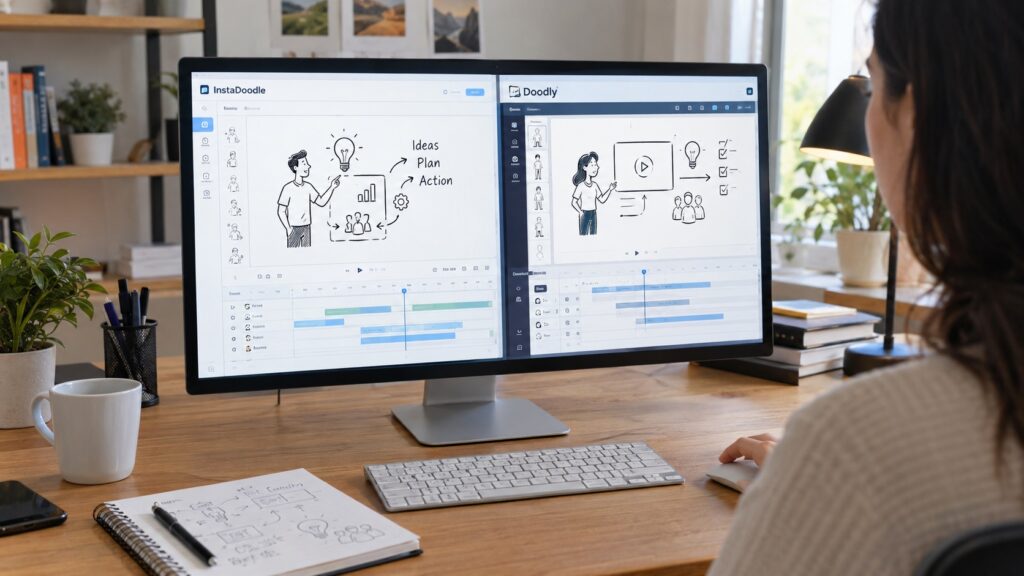
InstaDoodle vs Doodly: Quick Comparison
| Feature | InstaDoodle | Doodly |
|---|---|---|
| Whiteboard videos | Yes | Yes |
| AI-assisted doodle creation | Yes | More traditional workflow |
| Drag-and-drop editor | Yes | Yes |
| Built-in doodle assets | 1,000+ in Standard | 1,164 character images + 1,620 props in Standard |
| Templates | 14+ | 20 video templates + 84 scene templates |
| Image importing | Yes | Yes |
| Voiceovers | Yes | Yes |
| Multiple drawing hands | Yes | Yes |
| Cloud-based | Yes | Web + desktop application |
| Unlimited videos | Yes | Yes |
| Multiple computers | Yes | Yes |
| Free trial | — | 14 days |
| Main advantage | AI and modern doodle creation | Established whiteboard workflow |
Feature details and current offers can change, so check the provider’s website before purchasing.
What Is InstaDoodle?
InstaDoodle is a cloud-based whiteboard and doodle video creation platform built around AI-assisted video creation.
Its current features include DoodleAI, a built-in library of more than 1,000 doodle elements in the Standard plan, templates, image-to-doodle conversion, voiceovers, multiple animation types, and different aspect ratios.
The platform also supports multiple AI visual styles, including caricature, cartoon, and realistic styles.
This makes InstaDoodle particularly interesting for creators who want to combine traditional doodle animation with AI-assisted creation.
What Is Doodly?
Doodly is a dedicated doodle video software designed around a simple drag-and-drop workflow.
Its current Standard plan includes 1,164 character images, 1,620 prop images, 20 video templates, 84 scene templates, 150 royalty-free music tracks, and unlimited video creation.
Doodly is available for Mac and PC, and it also offers a 14-day free trial.
Its main strength is its straightforward approach to traditional whiteboard and doodle animation.
InstaDoodle vs Doodly: Ease of Use
Both platforms are designed for beginners.
Doodly uses a familiar drag-and-drop workflow. You select an element, place it on the canvas, and arrange your scenes.
InstaDoodle also includes drag-and-drop editing, but its AI features can automate more of the creative process.
For someone who wants to build a video manually, Doodly may feel more familiar.
For someone who wants AI to help generate scenes and visual elements, InstaDoodle may have the advantage.
Winner for AI-assisted simplicity: InstaDoodle
Winner for traditional editing simplicity: Doodly
InstaDoodle vs Doodly: AI Features
This is one of the biggest differences between the two platforms.
InstaDoodle currently includes its DoodleAI engine, which can generate doodle elements from prompts and convert images into doodle-style artwork. It also supports AI-related tools for creating images and other video components.
Doodly’s strength is different.
It focuses on providing a large collection of ready-made characters, props, scenes, and drawing tools rather than making AI generation the center of the workflow.
If AI-assisted creation is important to you, InstaDoodle is the more interesting option.
Winner: InstaDoodle
InstaDoodle vs Doodly: Templates and Assets
Both platforms provide extensive libraries.
InstaDoodle Standard currently includes more than 1,000 built-in doodle elements and 14+ project templates. Higher plans add thousands of additional elements and other features.
Doodly Standard includes 1,164 character images, 1,620 prop images, 20 video templates, and 84 scene templates.
The exact number of assets is therefore only part of the story.
Doodly may appeal more to users who want a large traditional library.
InstaDoodle may appeal more to creators who want a combination of ready-made assets and AI generation.
Winner: Tie
InstaDoodle vs Doodly: Pricing
Pricing is one area where you should check the current offer immediately before purchasing.
InstaDoodle currently displays different offers and plans depending on the sales page. Its main site lists Standard at $47/month, Pro at $67/month, and Agency at $127/month, while another current offer page displays a $37 one-time Standard offer.
Doodly’s official pricing page currently lists Standard at $49/month or $490/year, and Enterprise at $79/month or $790/year.
Doodly also advertises a 14-day free trial.
Because both companies can run special offers, the price you see may differ from the standard pricing page.
For that reason, don’t judge either product only by a single advertised price.
Which Is Better for Beginners?
Both tools are beginner-friendly.
Doodly may be easier to understand if you simply want to select characters and props, place them on a canvas, and build scenes manually.
InstaDoodle may be more attractive if you want to experiment with AI-generated doodles and automated creative tools.
For a beginner who wants the most traditional workflow, Doodly is a strong choice.
For a beginner interested in newer AI-assisted workflows, InstaDoodle deserves a closer look.
Which Is Better for Content Creators?
Content creators often need to produce videos quickly.
InstaDoodle’s AI features, cloud-based workflow, templates, voice tools, and multiple aspect ratios can make it useful when creating content for different platforms.
Doodly is also capable of unlimited video creation and includes a substantial collection of characters, props, scenes, and music.
If speed through AI automation is your priority, InstaDoodle has an advantage.
If you prefer controlling each scene manually, Doodly may be a better fit.
Which Tool Should You Choose?
Choose InstaDoodle if:
- You want AI-assisted doodle creation.
- You want to turn images into doodles.
- You prefer cloud-based software.
- You want multiple AI visual styles.
- You want to create videos in different aspect ratios.
- You want AI features to become part of your video workflow.
Choose Doodly if:
- You prefer traditional whiteboard animation.
- You want a large ready-made library of characters and props.
- You prefer a drag-and-drop workflow.
- You want to try the software before committing.
- You work on Mac or PC and prefer a desktop-oriented workflow.
InstaDoodle vs Doodly: Final Verdict
So, is InstaDoodle or Doodly better?
There is no universal winner.
Doodly is a strong choice for traditional whiteboard animation, especially if you prefer building scenes manually from a large library of ready-made assets.
InstaDoodle is more interesting for creators who want AI-assisted doodle creation and a more modern combination of AI, templates, image conversion, animation, and cloud-based editing.
If your main goal is classic doodle animation, Doodly is worth considering.
If you want to explore AI-assisted whiteboard video creation, InstaDoodle may be the better choice.
And if you are still unsure about the cost of InstaDoodle, our InstaDoodle Pricing 2026: How Much Does InstaDoodle Cost? article can help you review its current pricing before making a decision.
If you want to try InstaDoodle and explore its AI-assisted whiteboard animation features, you can check it out for yourself.
- You May Also Like:
Leave a Reply
You must be logged in to post a comment.